
-17%





New! Beardy Gnome Dish Brush by Ototo - Dish Scrub Brush, Gnomes, Quirky Gifts, Dish Brush, Cute Kitchen Accessories, Funny Kitchen Gadgets, Vegetable Brush, Cute and Useful Gifts for Women
Original price was: $19.95.$14.94Current price is: $14.94.

Fall Pumpkin Pillow Covers 18x18 Inch Set of 4 Watercolor Pumpkin Turkey Autumn Harvest Decorative Throw Pillow Cases Autumn Thanksgiving Quotes Holiday Outdoor Cushion Covers for Sofa
Original price was: $15.99.$13.99Current price is: $13.99.
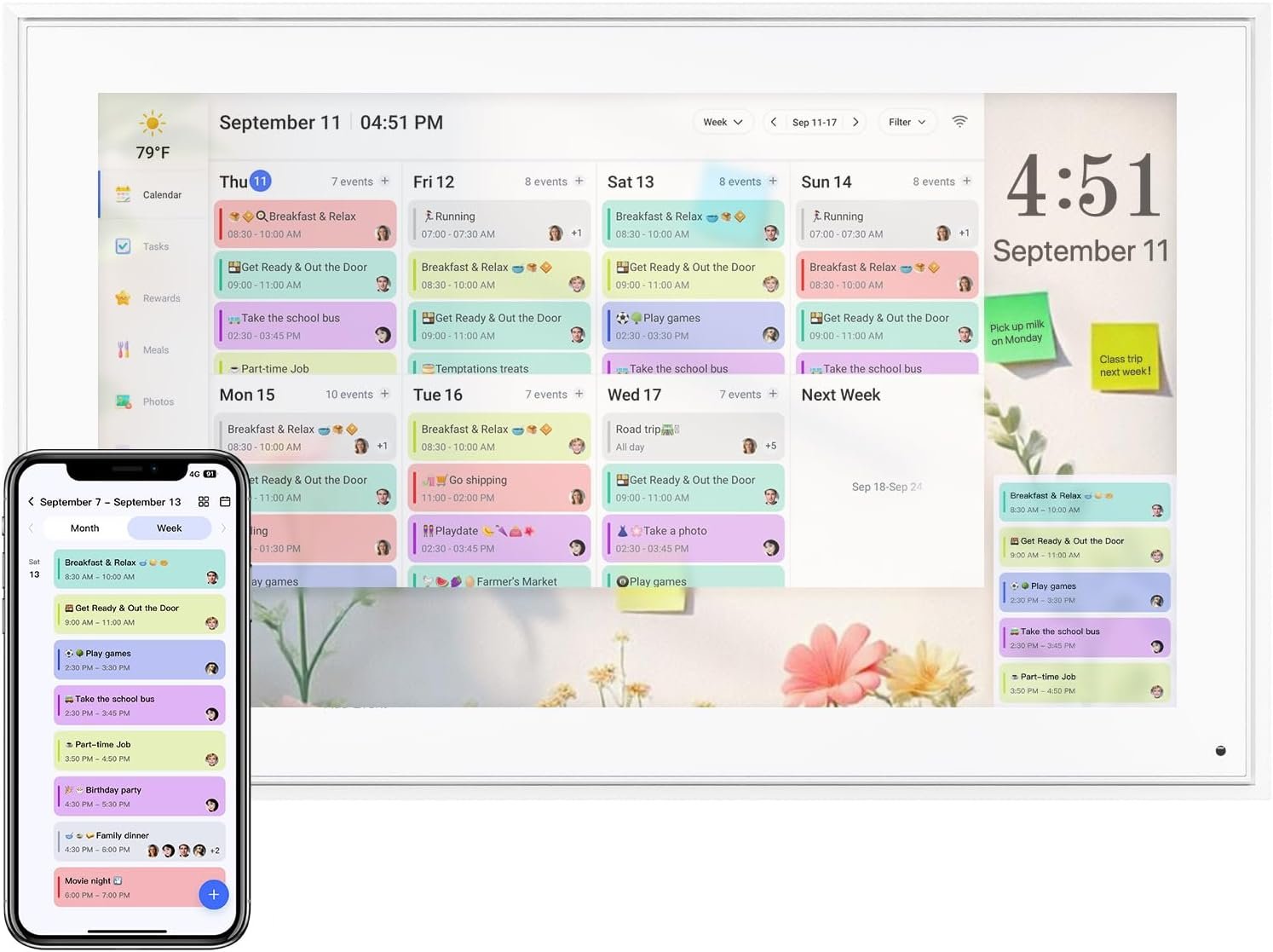
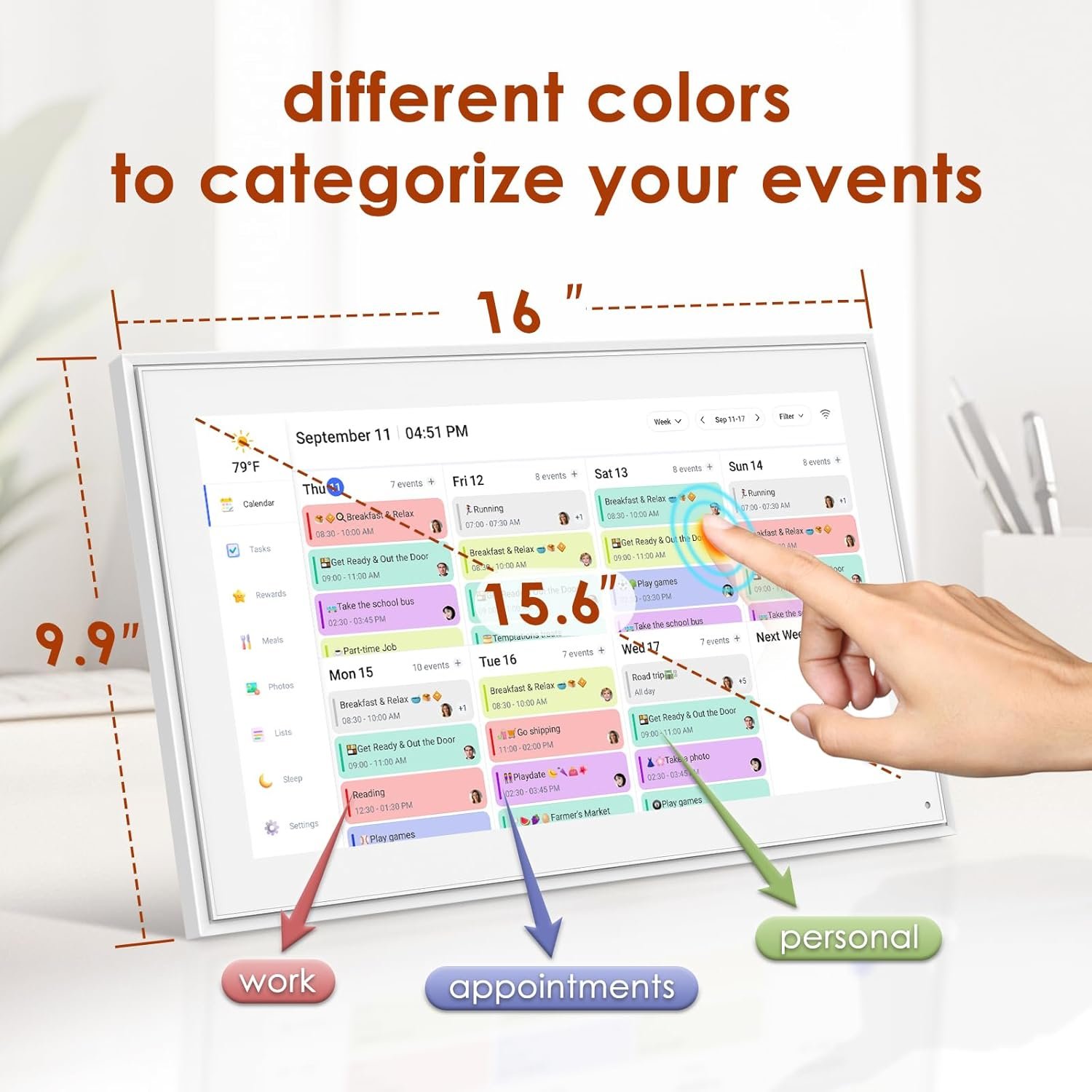
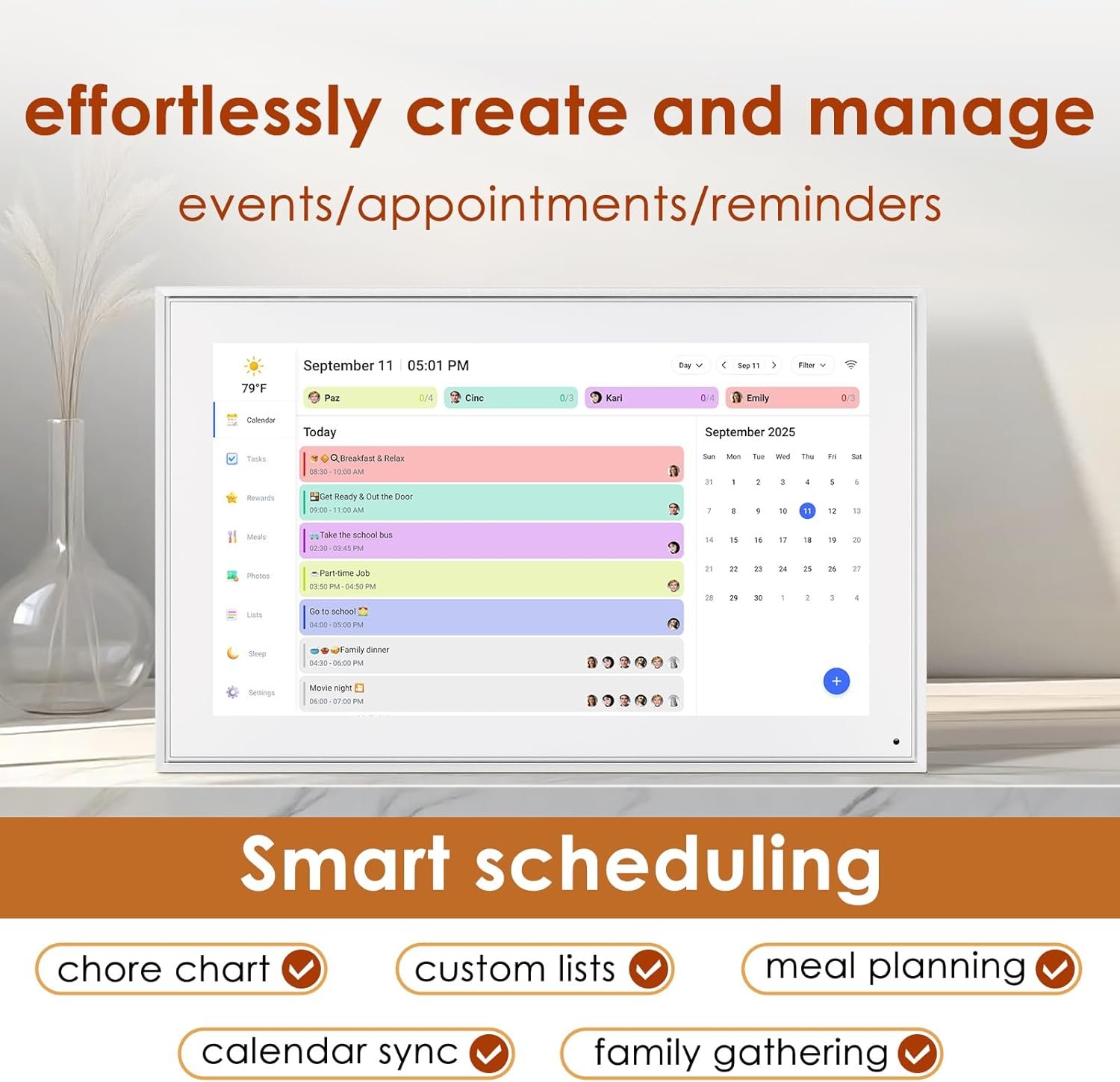
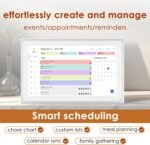
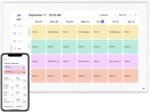
Digital Calendar 15.6 Inch, Electronic Calendar Chore Family Schedules, Smart Weekly and Monthly Planner, 1920 * 1080P IPS Touchscreen Interactive Display – Wall Mount White
Original price was: $299.99.$249.99Current price is: $249.99.




Prashi –
Love it — calendar + memories in one!
I didn’t expect to love this digital calendar as much as I do! It shows the date, time, and even weather — super helpful for keeping my day on track. But the best part is that it doubles as a picture frame.I loaded a bunch of family photos on it, and now I get to see them all day while staying organized. It feels like a little slideshow of happy memories right on my kitchen counter.Setup was really easy, and it synced with my phone calendar in no time. It’s also a great gift idea for parents or grandparents — simple to use, and they’ll love seeing pictures of the grandkids.Overall, it’s one of those things I didn’t know I needed but now can’t live without. Totally recommend!
April Murillo –
A Total Game-Changer for Our Busy Family of 7!
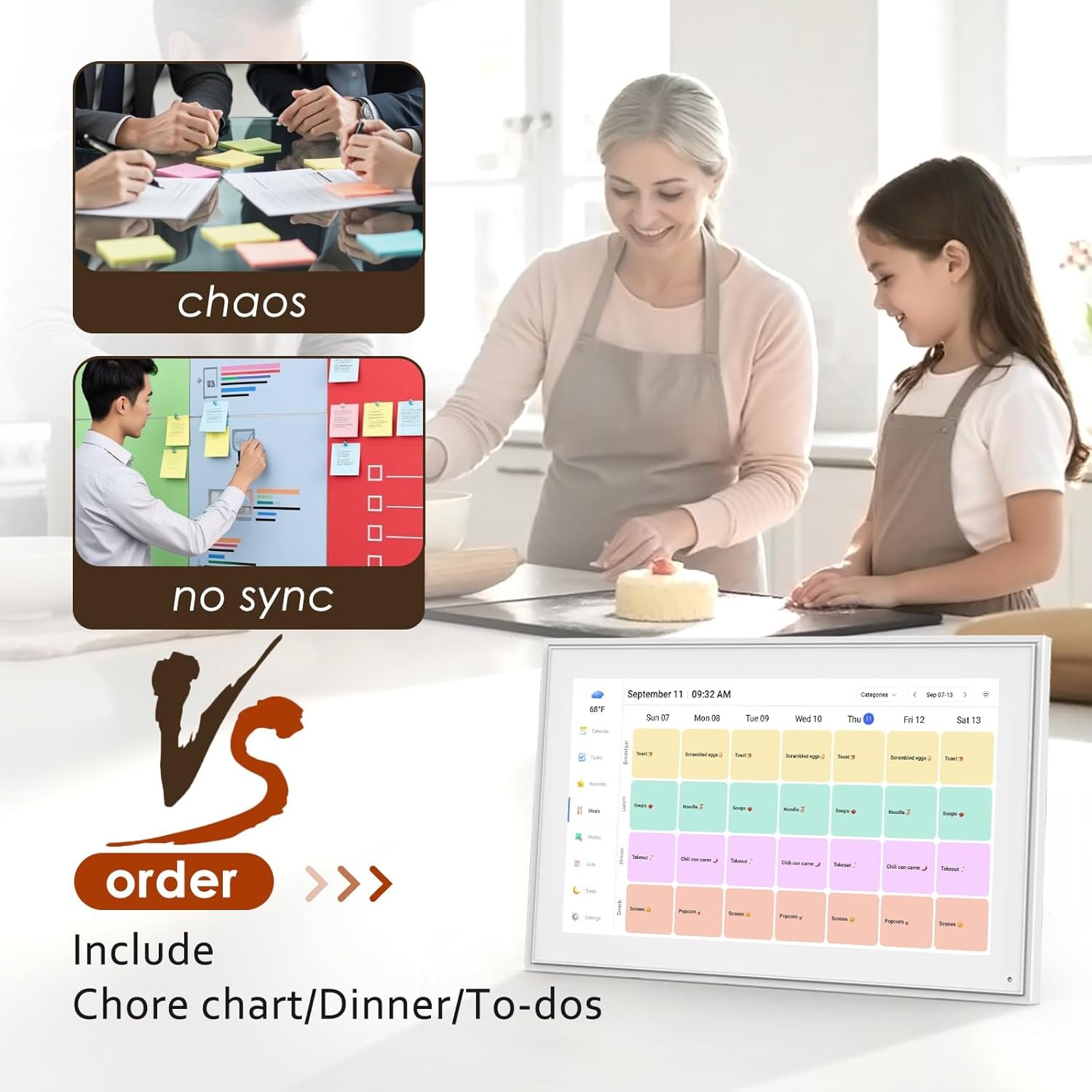
This digital calendar has completely transformed how we manage our family’s chaotic schedule! With seven of us juggling everything from summer camps, school prep, work shifts, my master’s program deadlines, and my father’s VA appointments, it used to feel like we were constantly dropping the ball. Not anymore!The 21.5-inch touchscreen is crisp, easy to read, and large enough for everyone to see at a glance. The weekly and monthly planning features are incredibly intuitive, and the chore chart option has been a lifesaver—even the kids enjoy checking off their tasks.We’ve got it mounted on the wall in our kitchen, and it’s become our family command center. Everyone can update their items, and we stay synced in real-time. The IPS display is bright and clear, and the 1920x1080P resolution makes even detailed schedules easy to read from across the room.If you’re a busy parent, caregiver, or just trying to stay ahead of the never-ending list of “to-dos,” this planner is worth every penny.It’s not just a calendar, it’s peace of mind in a touchscreen.Highly recommend!
Daniel Berbano –
Digital Calendar – A Beautiful, Family-Friendly Organizer
This digital calendar has been a game-changer for our family. The 15.6-inch screen is bright and clear, making it super easy to see everyone’s schedule at a glance—even from across the room. Setup was simple, and syncing with our shared Google Calendar only took a few minutes. What I really love is how user-friendly it is—everyone in the house, from kids to grandparents, can check what’s going on without needing to fiddle with anything. One of our favorite features is the rotating photo display. It doubles as a digital frame, so we always have family photos showing when the calendar isn’t in use, which makes it feel more personal and warm. It looks sleek on the wall and helps keep our whole household on the same page without clutter or confusion.
dotaplayingmom –
I didn’t know I needed one until I got one. And now I dont think I can do life without one.
Wow. I really didnt know I needed one of these until I got one! It has a lovely modern design and there are so many features that its not just a calendar/scheduler, but a photo frame, a task manager, grocery list keeper and even chore tracker! I feel like im not even using this to its max potential. The connection to the app is very easy, it is user friendly, and I love how it syncs to my Gmail. The only downfall is that the calendar functions (like repeating an event) is only adjustable on the app and not the device itself. But otherwise it was such a good buy to organize my life! Im getting one for my sister as well for a gift. One other thing to note, you can put it on a stand as I have it on my kitchen counter but it also comes with the hardware to be mounted on a wall.
Abhishek Singh –
A Game Changer for Staying Organized
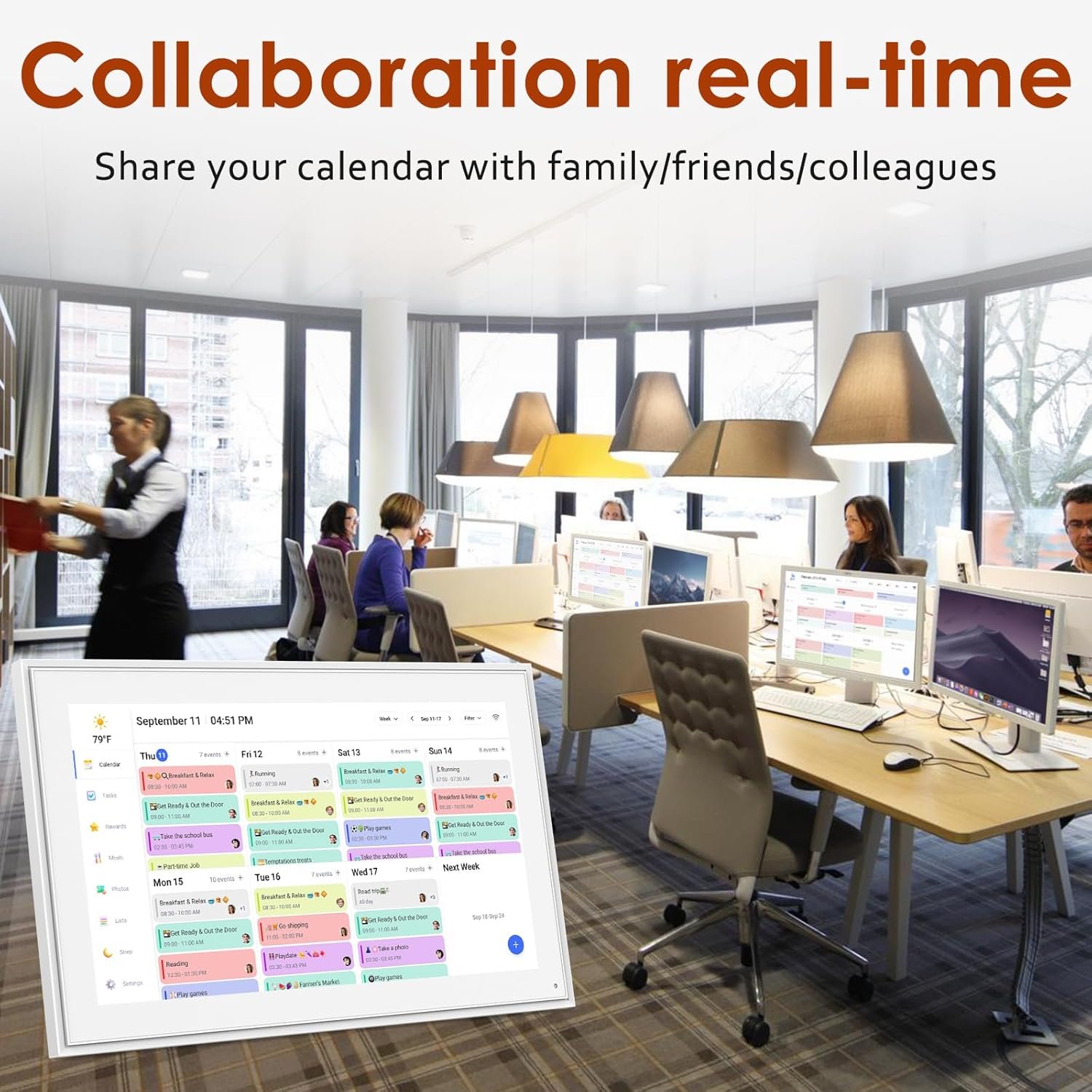
The interface is clean, intuitive, and easy to navigate — adding events, setting reminders, and syncing across devices is effortless. I have been using the Digital Calendar for couple of days before reviewing it. One of my favorite features is the ability to color-code different calendars (work, family, personal) and share them with others — it makes coordinating with my team and family so much smoother. I also appreciate the smart notifications and daily/weekly views, which help me plan ahead without feeling overwhelmed. The quality feels better than other calendars that I have seen at some of friends place recently.
AAK –
A MUST for a busy family!!!
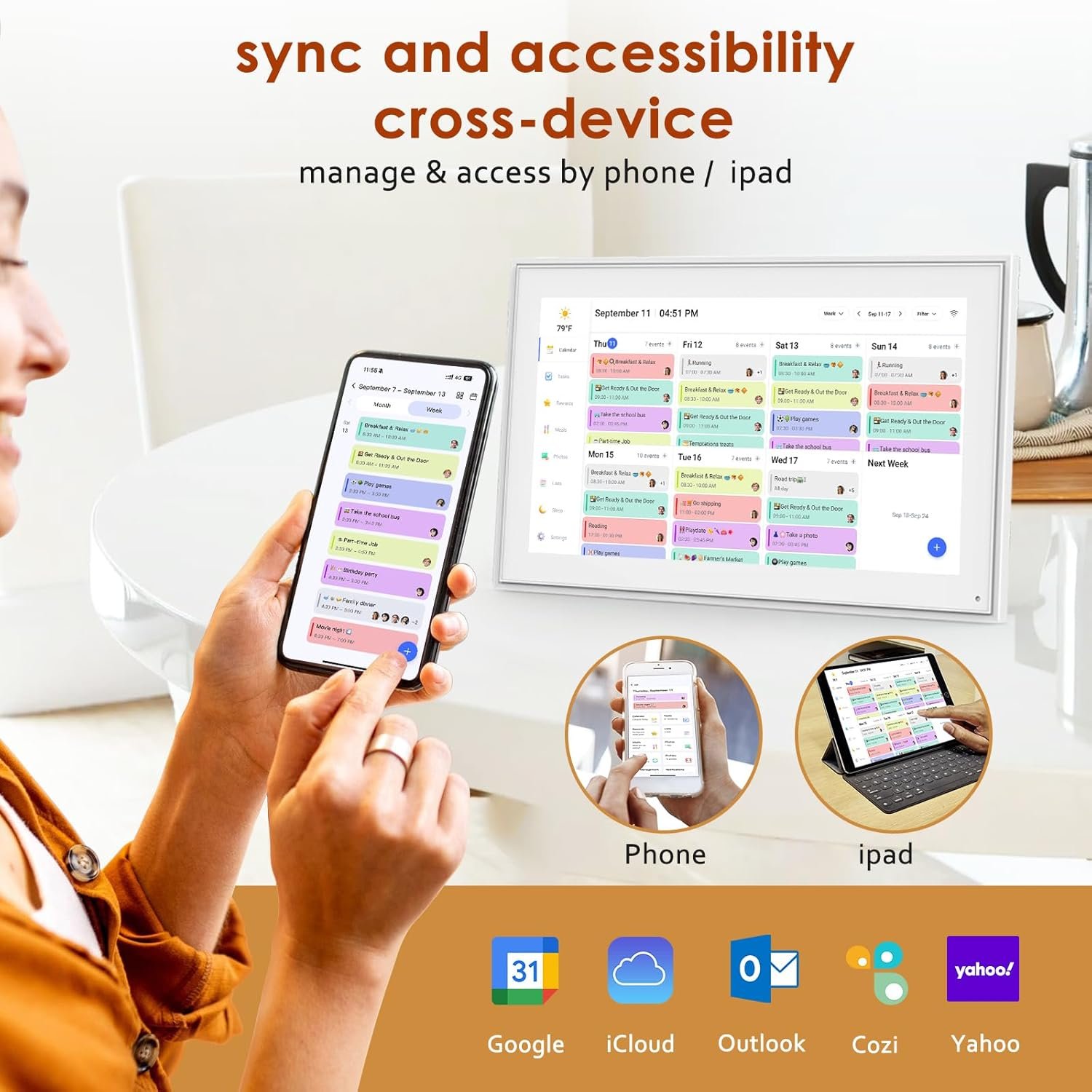
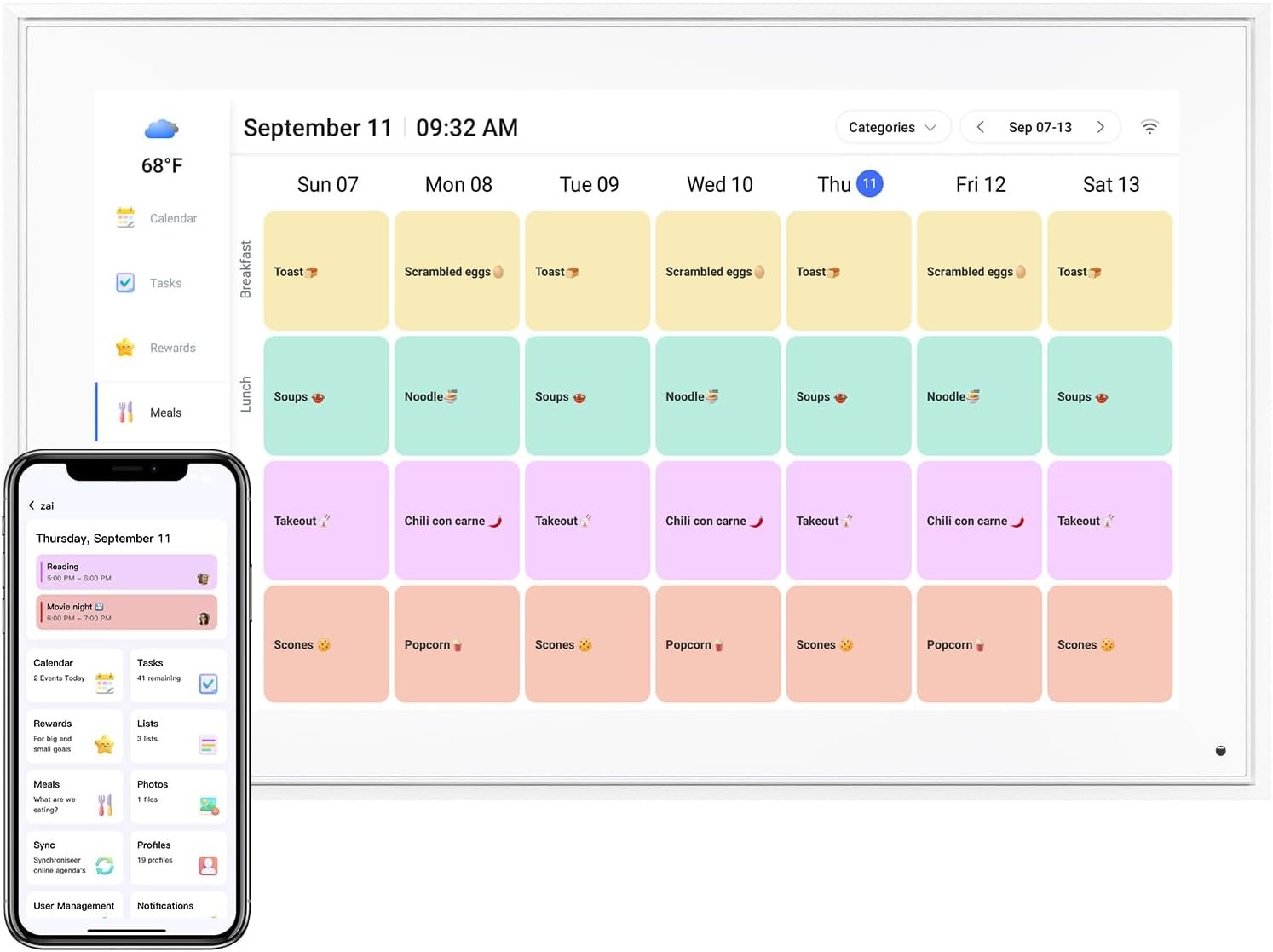
This has been a game changer for our family. We are very busy and have a lot of stuff going on throughout the week. I love that I was able to sync my calendar on my phone to the e-calendar. Once you set up a profile for each person, it’s easier to go in and assign it and it automatically color coordinates it for you. This is an easy way for everyone in our family to keep track of what’s going on on any given day. We use it both for a monthly overview and specifically what is going on each week.We also use it for a reminder for our kids on what tasks they need to do. They’re able to go in and check it everyday. If I forget something before I leave the house, I can easily add a task from my phone and it automatically syncs to the e-calendar.We are also able to add grocery lists so anytime we run out of something, we have it mounted right next to the kitchen so it’s quick to walk over and just add something to our grocery list. When I’m shopping I can access it through my phone and make sure I don’t forget anything.I cannot recommend this enough, especially if you have even half of as busy of a household as I do. It has a two-way sync So I am able to add or remove things from either device, though I use it most on my phone.We have uploaded photos that will scroll through for you and you can add multiple albums. I believe it holds 50 photos per album. Though the photos are on there, we admittedly do not put it on the photo option very often just because we are constantly checking our calendar!
Billy Parsley –
Great for Service Companies
We are using this for our HVAC Company and it works great for all of our service technicians and departments. The app is great and easy for all employees to use/share. This made our business much better streamlined and efficient. Would highly recommend to any Service Company.
Timothy –
I am one of those people who loves technical gadgets. I do, however, find out that many of these are more gimmicks rather than useful items. I rarely find a new “gadget” that is truly revolutionary plus useful. This digital electronic calendar is one of those rare items. I am very impressed.The calendar arrived very nicely packaged, like a high-end piece of electronic equipment.It comes with a 15.6-inch electronic calendar, mounting hardware to mount to a wall or a stand, a user manual, and a power adapter.The calendar has to be plugged in to work.Initial setup is very easy. You install an app on your phone and have to create an account. I found the setup to be flawless and went very smoothly. They even provide a QR code that links to the location where you download the app. You need to connect the calendar to your Wi-Fi so you can have access to it from anywhere.Once everything is set up, you can begin adding events to your calendar. This can be done on your smart device, like a phone, or you can add events directly to the calendar. The process is very easy and allows you to easily set up single or recurring events. You can color-code the events however you want. We have set up a color for each family member so they can easily see the events that apply to them.Each member of your family can install the app and create an account. When they do, you just need to provide them with your calendar’s address, which you created when you set up. They then have full access to the calendar and can add and edit events. They can even send pictures to the calendar/picture frame.You can set up chore lists and shopping lists as well.Another cool feature is that this can be used as a digital picture frame as well. There is 32 GB of storage built in, and you can easily send pictures to the calendar from your phone. You can then set up the calendar to display the pictures. I have ours set up so the screen saver is the pictures I have uploaded.The screen is huge at 15.6 inches. It is as large as your standard paper calendar. You can display monthly, weekly, and daily calendars. The resolution is 1080p and very sharp and bright. It is also a touchscreen.This is a great-looking digital calendar and photo frame. It is something that can help everyone in the family know events that are coming up on both their phones and the digital camera.I am very impressed with this electronic calendar. I did not know there was such a product, and I am very happy I discovered this. It works very well, is super easy to use, and looks great.I do recommend this calendar.
Anna –
Okay, so let me tell you — I didn’t think I needed a digital calendar this big, but wow, it has completely changed how our house runs. The 15.6-inch screen is huge, super clear, and honestly just looks cool on the wall. It feels like having a giant iPad just for our schedule.Setup? Easy. Like, I had it up and running in under 10 minutes. The touchscreen is smooth, and I love how events are color-coded — work stuff, kids’ stuff, appointments, all separated so nothing gets lost in the shuffle. We used to scribble on a whiteboard or rely on sticky notes, and half the time things were missed. Now? Everyone can see what’s going on the second they walk by.Syncing with my phone is a lifesaver. I can add something on the go and boom — it’s already up on the big screen at home. No excuses for missed practices or forgotten appointments. Even my kids figured out how to check off chores on it, which makes them feel involved (and keeps me sane).A couple of little things I noticed: it does need to be plugged in (so plan where you’ll put it), and the reminders could be a bit louder. But honestly, that’s me nitpicking. The fact that this thing keeps my family organized without me chasing everyone around is worth every penny.If you’re debating it: do it. Seriously. This calendar has become the family hub in our house, and I can’t imagine going back to paper or phone reminders.Rating: 5/5. Totally recommend
Madhu K –
Super easy to set up—linked my Google Calendar in minutes and it just works. The screen is clear, color-coded events make things easy to follow, and it looks clean on the counter. I used to rely on a physical calendar, but this completely replaced it. It’s just way more convenient and keeps everything in one place.The photo slideshow is a nice touch, and it updates pretty much instantly when my partner adds something. We’ve actually been way better about staying on top of plans since getting this. Didn’t expect much from it, but honestly, it’s been solid.
CoLa –
The quality of this digital, electronic calendar is good. The build quality feels sturdy and durable. The display is crisp, bright and easy to read. I ordered this electronic calendar to keep me organized on all of my kids and grandkids activities, everyone has access to adding their own schedules through their smart device and I’m then able to see it on the electronic calendar and even get reminders.I appreciate that this calendar is sized so that it can be used wall mounted or counter top display. This electronic calendar can be positioned landscape or portrait mode.In terms of set up and use, it isn’t exactly quick, easy or seamless, there is a definite learning curve required and patience is a must. Make sure you have the time to dedicate to setting up this electronic calendar or you’ll get frustrated. When it was apparent that this wasn’t a quick process I left it for an evening when I was going to be watching tv and did it then. Display settings are easily adjusted directly on the electronic calendar touchscreen.Pros-digital/electronic-touchscreen-wall mount or counter display-auto rotation, portrait or landscape orientation-weekly or monthly option-auto brightness-sleep mode-weather forecast-can be used as a digital photo frameThe HERNCPTAR 15.6 inch digital calendar is a bit pricey but not unreasonably so.
Cyril –
Love this product. Instead of switching to calendar apps on my phone, I am able to see my synced calendar on a separate and bigger screen. Makes life easier to keep my schedule in tact.