Smart Digital Calendar: 21.5-Inch Electronic Wall Calendars & Chore Chart, Full HD Interactive Touchscreen Display for Family Schedules Planner,Seamless Scheduling/Organizing-Wall/Desk Mountable
11 reviews for Smart Digital Calendar: 21.5-Inch Electronic Wall Calendars & Chore Chart, Full HD Interactive Touchscreen Display for Family Schedules Planner,Seamless Scheduling/Organizing-Wall/Desk Mountable
Hailey –
The best digital calendar!!
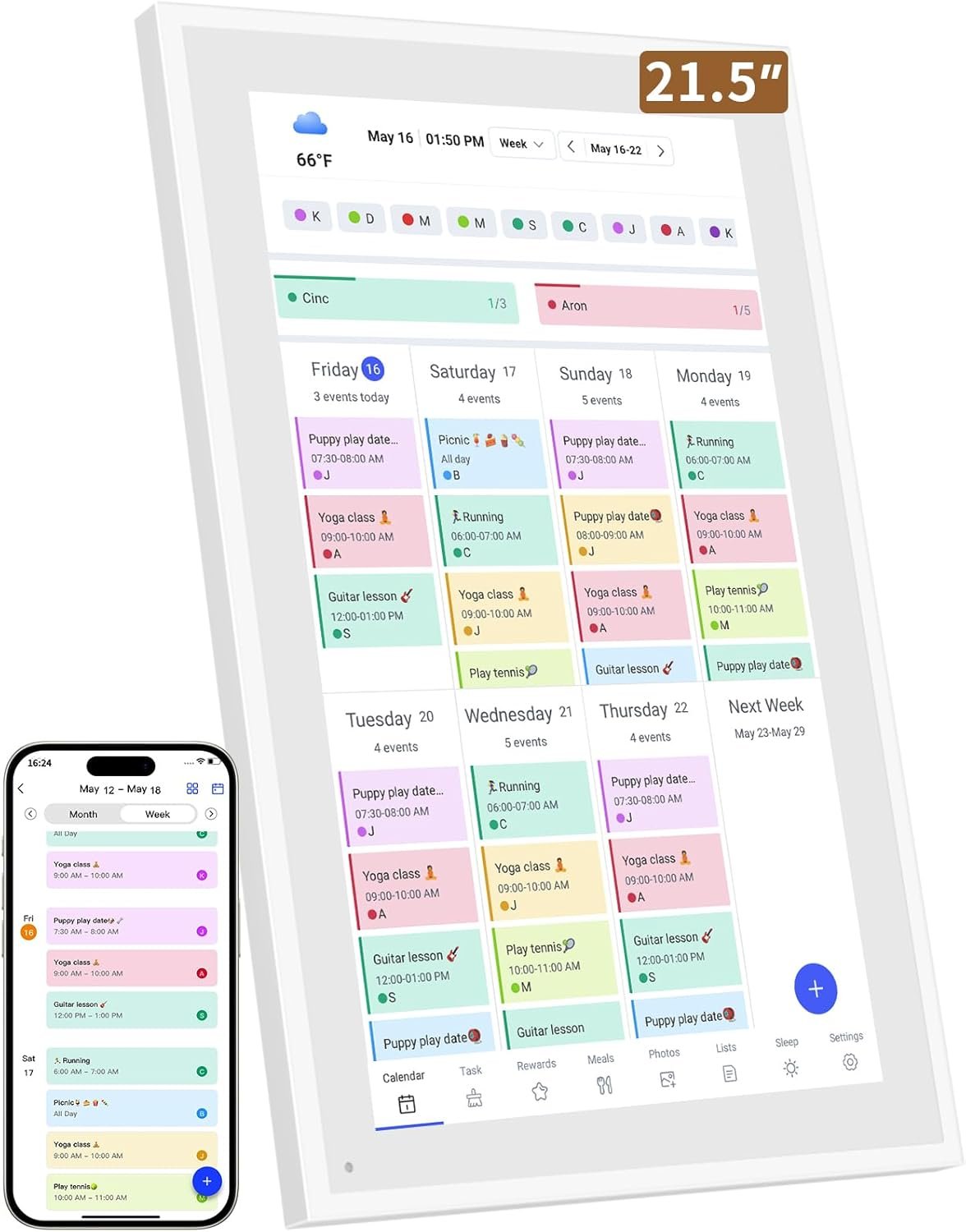
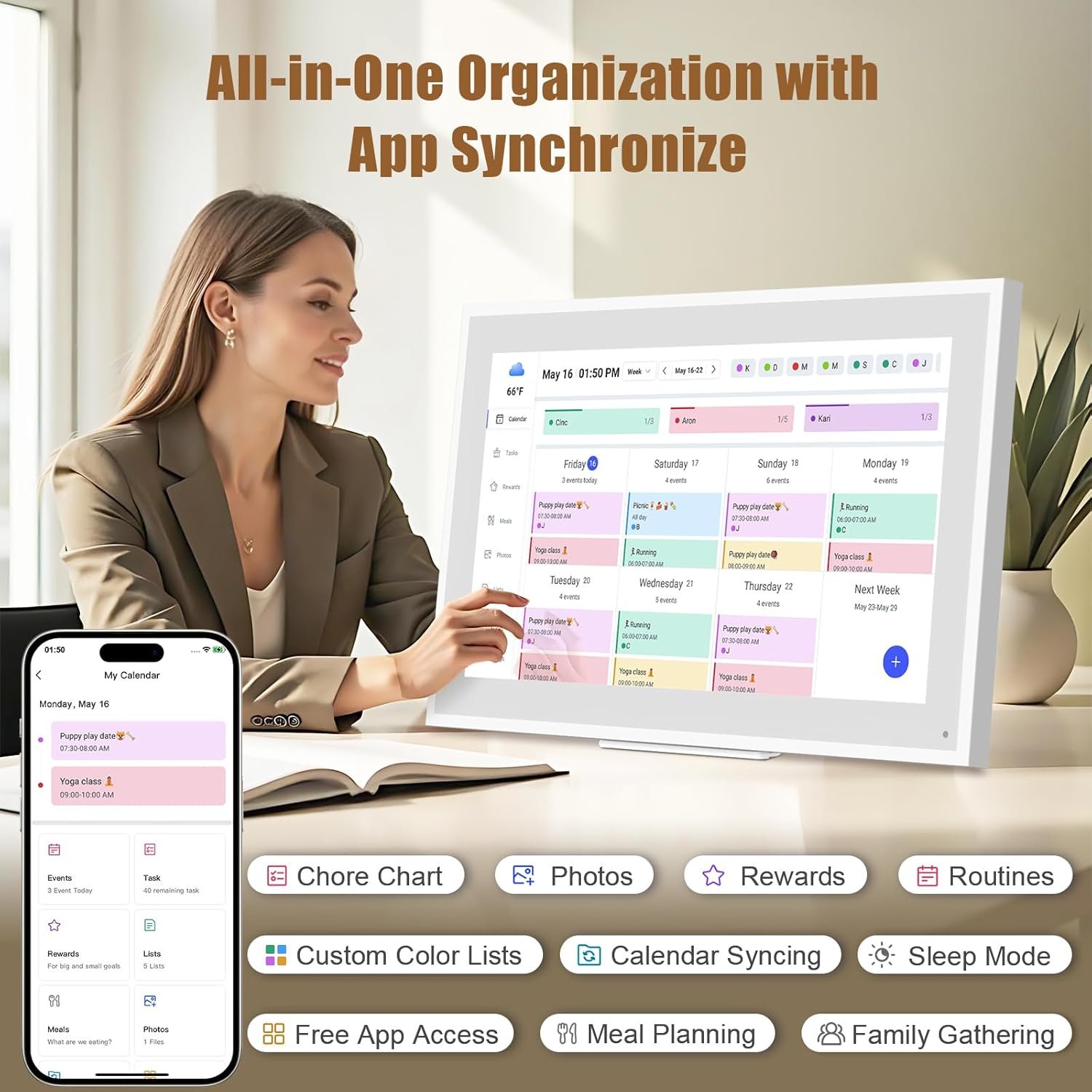
This digital calendar has been a game changer for keeping our family organized! It’s so easy to set up, syncs with multiple digital calendars like google and Apple, and displays everything clearly on a big screen. I love being able to glance at the day or week ahead without checking my phone, and the whole family can add or check events. It’s especially helpful for managing appointments, activities, and reminders in one central spot especially for my two kids different activities! It’s a great value and the quality is too notch!
Jeremy S –
Must have for busy families
I recently added a digital calendar frame to my home, and it has been a fantastic upgrade for organizing our busy schedules. The setup was quick and straightforward, and I was able to sync all our calendars—work, personal, and even shared family events—in just a few minutes. The real-time updates mean any changes we make on our phones or computers instantly show up on the frame, so everyone always knows what’s coming up.I love the customizable views and layouts; whether I want to see the day, week, or month at a glance, it’s all just a tap away. The frame also doubles as a photo display when not showing the calendar, which adds a nice personal touch to our living space. Features like reminders, to-do lists, and weather updates make it even more useful for daily planning.Overall, the digital calendar frame has made managing our family’s activities much easier and more efficient. It’s visually appealing, easy to use, and keeps everyone on the same page—highly recommended for anyone looking to streamline their schedule and reduce household chaos
Maggie –
Primarily a Clock, But a Very Nice Clock
Fits nicely under my TV. I have it set at level 1 brightness and I can see it well during the day or at night. The numbers are large enough that I can see them without my glasses from bed at night, as long as I squint (which I can’t say about any other clock I’ve tried). The colors are vivid and clear. It retains the correct date and time, even if you unplug it or lose power.There are 3 different display styles for the date and time, and 4 different color modes for the style I have in my photos. I found that the black background and yellow text was the easiest on the eyes and didn’t disturb me while trying to sleep.Buttons are on the back of the display, so they’re a little hard to use since you can’t see the display and buttons at the same time. The little attachment that props the display up is pretty long, so you can’t place it on a window ledge or any other shallow spot. But you do have the option to hang it on your wall.I’m not really sure why this is advertised as a chore chart. There are options for alarms/reminders, but that is it. I believe you can also use it as a digital photo frame, since there is a slot for an SD card, USB-A, and mini-USB (which a lot of cameras used to use, but I think they’re being phased out). There’s also a 3.5mm jack, so I’m guessing that it’s an output you can use to connect the display to external speakers.
Nicholas T. –
The Family Command Center You Didn’t Know You Needed
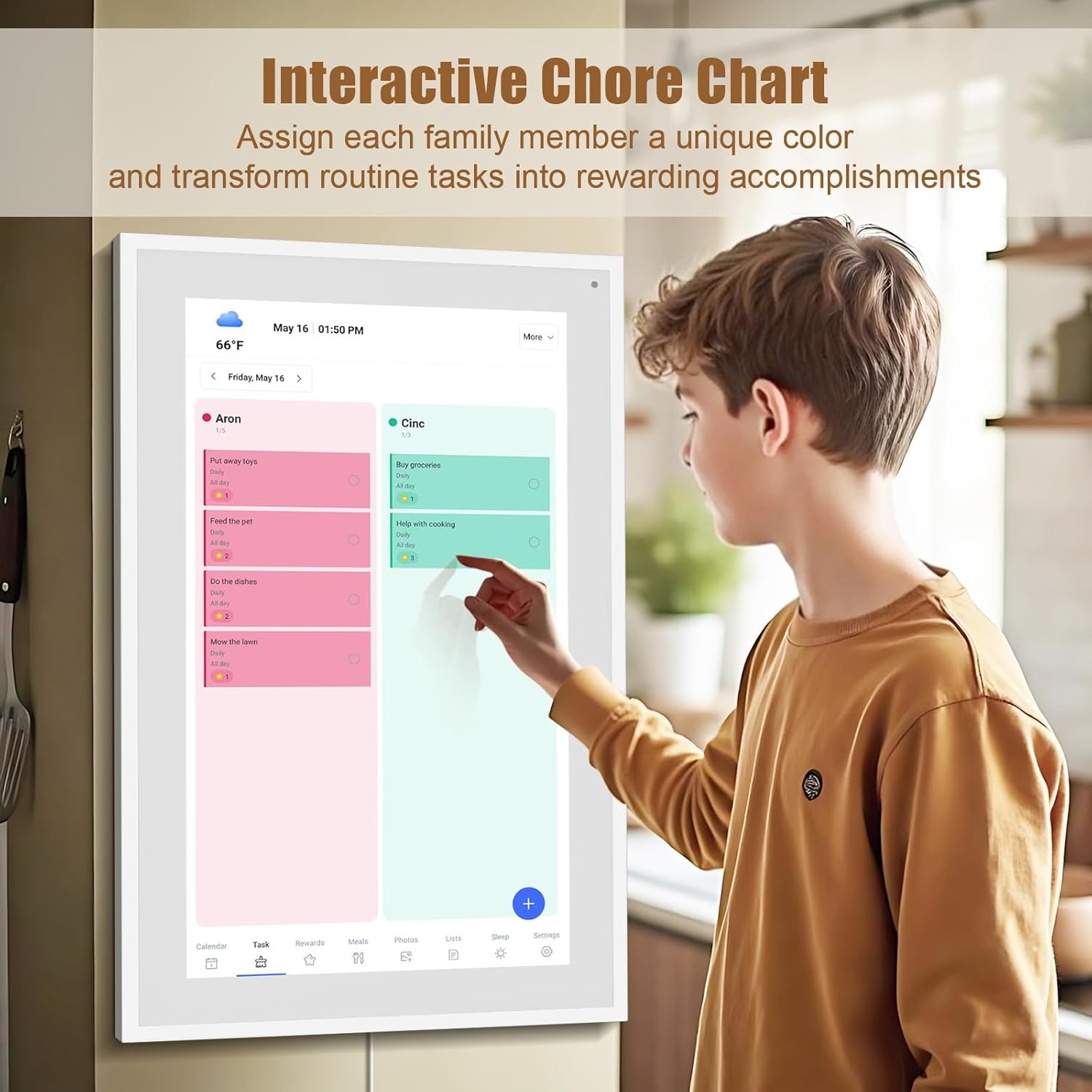
Trying to keep a household of five on the same page used to feel like herding cats—until we brought home this smart digital calendar. From its crisp 15.6-inch touchscreen to the intuitive chore chart and meal planning features, this device turned family chaos into coordinated calm. It’s not just a calendar; it’s a visual hub that keeps everyone aligned without sticky notes or missed appointments.What really impressed me was how easy it was to set up. We connected it to WiFi, synced our Google and Outlook calendars, and boom—our entire week’s schedule appeared in minutes. I can add events directly on the screen or from my phone using the app, which makes on-the-go updates a breeze. And assigning different colors to each family member? Genius. Now my kids actually check their chores without me having to nag.The screen quality is a standout too. Whether we’re reviewing the calendar, scrolling through meal plans, or sharing family photos, the full HD display is sharp and vibrant from every angle. My parents even commented on how easy it was to read—big plus for grandparents trying to stay in the loop.From syncing reminders to planning dinners, this smart calendar has become the heartbeat of our home. Whether you place it on a desk or mount it on the wall, it’s a sleek, practical upgrade that truly brings the family together. It also makes a thoughtful gift for busy households or tech-savvy grandparents who want to stay connected.
EAK –
Great size and great scrolling function
Great product. I bought for my elderly mother. It works great. I transferred pics she already had to the frame and am able to send her pics whenever I want; the WiFi connects easily but you do need to download an app to your smartphone. I set it up for her and gave her a code for each of her grandkids she could give them to use when they want. She loves having it on her table beside her as she takes in the memories of kids, grandkids, and great grandkids. One of the best gifts she said she has ever received.
Nadiyah –
Nice calendar and photo album.
It’s a great calendar. And I like the features that are free. I love the photo album feature. That is what made me get this one. The other you had to pay for the photo album feature. I wish there was a way to sink it to other devices. But it works great so far. The size is perfect as well.
Amazon reviewer –
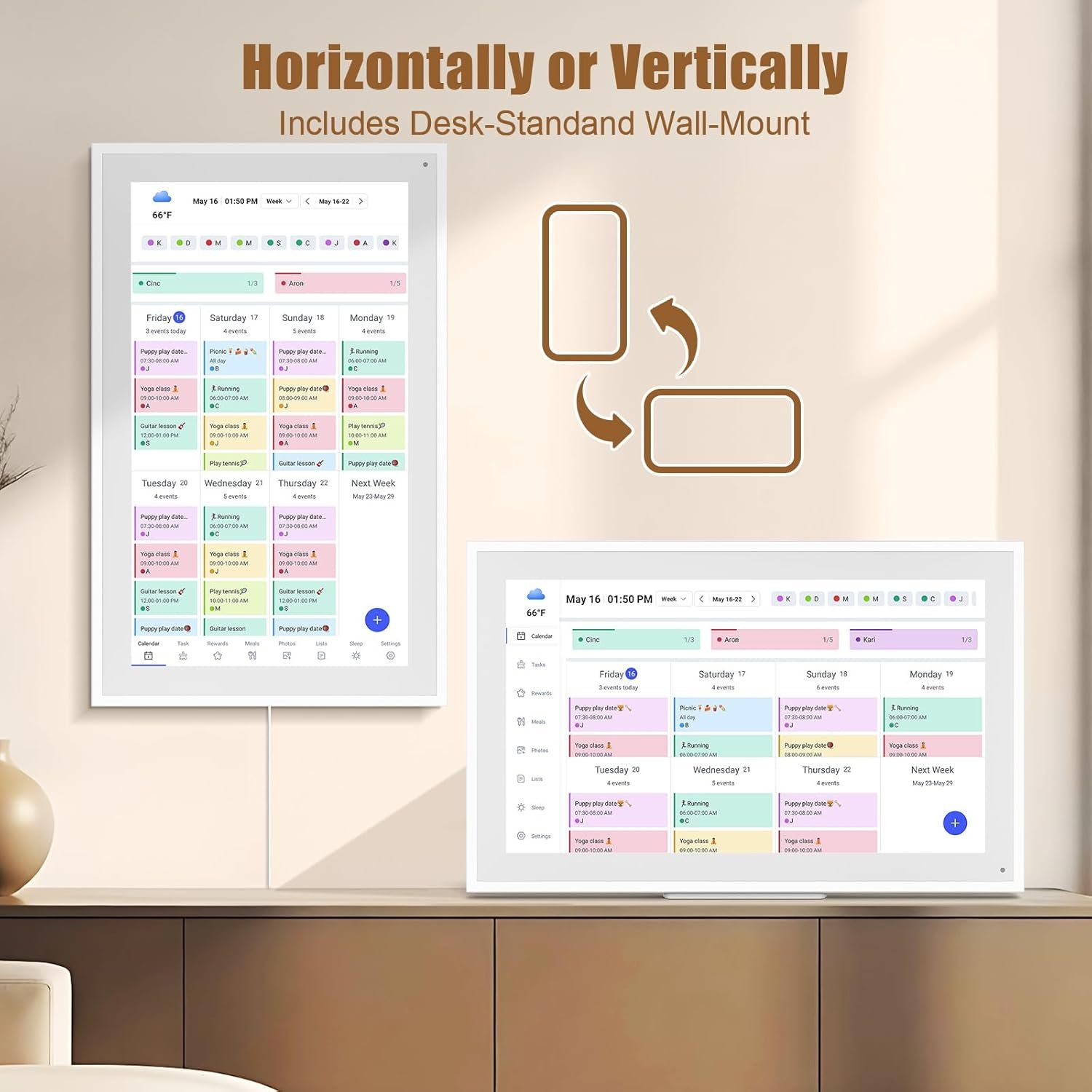
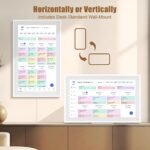
The LiviNGPAi digital wall planner is a blessing to many of us who juggle complicated overlapping schedules. At a glance, you can see what’s upcoming and who is doing what where. :-)You can add items via the app or have them automatically import from your other digital calendars. The app seems stable and robust, and the iPhone app works well.The large 40cm screen is HD and easy to read across a room, and large enough to show loads of data. My phone pictures don’t capture the sharpness and clarity of the screen. It’s a touchscreen so that you can drill into an event with just a tap. Unlike other tablets in this price range, the LiviNGPAi is quick and responsive to touch or scrolling.Users are colour-coded, so it is easy to isolate. The screen can be mounted in landscape or portrait mode.There is basic project tracking and task management built into the app, which, like the screen, is simple and easy to read.Set up was easy, even for me, a boomer who is technology challenged. It connected to my wifi with a tap, and I added our calendars from Google and Apple with a few clicks. The step-by-step instructions walked me through the process. (I require a high level of hand-holding setting up digital stuff. )A solid metal stand is included to use your calendar on a table, and there is a wall mount as well. I plan to wall mount the unit in my entryway for easy access.The backlit screen can be set for sleep time if you keep it in your bedroom.Some have commented that this is not a full Android tablet with access to features. That’s a plus for me. I like the pared-down responsiveness of the LiviNGPAi. It has one job: to keep your crew organized, and it does it well. There’s nothing wrong with being a one-trick pony. 🙂 You can stream pictures, but after checking to see if this worked, I didn’t use it. This is a calendar, not an iPad.What would I change? The only things that would make the LiviNGPAi even cooler would be a magnetic option to install it on my kitchen fridge and an option to run it via a built-in rechargeable battery. And I would have appreciated a longer cord for wall mounting. One metre is short for wall mounting, and I would have preferred the versatility of a two-meter cord.The LiviNGPAi is well packed in foam and arrived in perfect condition. Everything you need to mount the unit is included in the box.The LiviNGPAi is a stress buster for anyone spinning plates and trying to stay informed and ahead of upcoming events. Highly recommended.
PG Martin –
J’ai été surpris de la qualité de l’image et des fonctionnalités de ce cadre numérique. Je l’ai acheté pour ma ma mère qui vit dans une résidence pour personnes âgées.À 16 pouces de diagonale, ça donne une très bonne taille d’image.Les aspects techniques sont intéressants. Il est facile à configuer, on peut mettre des photos directement dans la mémoire de l’appareil ou les charger sur une carte SD et les photos s’ajouteront automatiquement au diaporama en un mix des deux sources. Je n’ai pas essayé, mais j’imagine que c’est la même chose avec une clé USB.On peut configurer le temps entre chaque photo, les heures de fonctionnement, etc. L’appareil peut aussi recevoir des courtes vidéo (15 sec), avec son.L’application Frameo (sur téléphone) est simple d’utilisation. L’app accède directement aux photos sur le stockage local de son téléphone. J’ai lu à plusieurs endroits qu’on ne pouvait pas accéder aux services de stockage en ligne. Je n’ai pas essayé toutes les options (Drobox, OneDrive, Apple photo, etc.) mais sur mon téléphone Android, j’ai pu facilement choisir une de mes photos sur Google Photos et utiliser la fonction de partage d’Android pour l’envoyer dans Frameo (voir saisie d’écran).Un aspect intéressant de l’application Frameo est de pouvoir ajouter une légende à chaque photo envoyée (ou une légende commune pour un groupe de photos envoyées en même temps) mais aussi de pouvoir choisir une zone de la photo (une personne par exemple) dont on veut s’assurer que la zone soit vue, selon l’orientation du cadre (portrait ou paysage).Seul élément négatif: l’application Frameo ne peut permet pas de gérer la collection de photos à distance (genre: effacer certaines photos, changer l’ordre). Une interface web, accessible via un navigateur, pourrait être intéressante aussi.Mais sinon, le produit répond parfaitement au besoin que j’avais: faire parvenir différentes photos à ma mère simplement, sans intervention techno de sa part.
Michael Yim –
Easy to set up, I had it running in minutes. I uploaded pics and videos from my cell with no issue. I then imported pics from a SD card, it didn’t read in the beginning. I found the reason was due to a big 64G card. I used an 8G USB drive and was able to import the pics I wanted. It is hung on my entrance way at home, and displaying the memories that I am fond of! RECOMMENDED!
Hadinma –
This e-calendar does so many things and helps me with keeping organized with chores, activities and tasks both at home and outside the home. I’m able to set reminders for my kids swimming and skating classes including setting up reminders for tasks they are assigned to complete at home. It was easy to download the ecalendar app, connect to WiFi and transfer my pictures to be used for the slideshow. The touch screen is very responsive and also very clear so it displays pictures well. You can set a sleep function/time for the frame to sleep and then wake up the next day. I especially like being able to set up my weekly menu of meals for my family including adding and deleting meals from the page.
Exzacklee –
Got on prime days, so price was good. Picture quality ok. Keeps shutting down randomly. Software pretty easy to figure out.



















Hailey –
The best digital calendar!!
This digital calendar has been a game changer for keeping our family organized! It’s so easy to set up, syncs with multiple digital calendars like google and Apple, and displays everything clearly on a big screen. I love being able to glance at the day or week ahead without checking my phone, and the whole family can add or check events. It’s especially helpful for managing appointments, activities, and reminders in one central spot especially for my two kids different activities! It’s a great value and the quality is too notch!
Jeremy S –
Must have for busy families
I recently added a digital calendar frame to my home, and it has been a fantastic upgrade for organizing our busy schedules. The setup was quick and straightforward, and I was able to sync all our calendars—work, personal, and even shared family events—in just a few minutes. The real-time updates mean any changes we make on our phones or computers instantly show up on the frame, so everyone always knows what’s coming up.I love the customizable views and layouts; whether I want to see the day, week, or month at a glance, it’s all just a tap away. The frame also doubles as a photo display when not showing the calendar, which adds a nice personal touch to our living space. Features like reminders, to-do lists, and weather updates make it even more useful for daily planning.Overall, the digital calendar frame has made managing our family’s activities much easier and more efficient. It’s visually appealing, easy to use, and keeps everyone on the same page—highly recommended for anyone looking to streamline their schedule and reduce household chaos
Maggie –
Primarily a Clock, But a Very Nice Clock
Fits nicely under my TV. I have it set at level 1 brightness and I can see it well during the day or at night. The numbers are large enough that I can see them without my glasses from bed at night, as long as I squint (which I can’t say about any other clock I’ve tried). The colors are vivid and clear. It retains the correct date and time, even if you unplug it or lose power.There are 3 different display styles for the date and time, and 4 different color modes for the style I have in my photos. I found that the black background and yellow text was the easiest on the eyes and didn’t disturb me while trying to sleep.Buttons are on the back of the display, so they’re a little hard to use since you can’t see the display and buttons at the same time. The little attachment that props the display up is pretty long, so you can’t place it on a window ledge or any other shallow spot. But you do have the option to hang it on your wall.I’m not really sure why this is advertised as a chore chart. There are options for alarms/reminders, but that is it. I believe you can also use it as a digital photo frame, since there is a slot for an SD card, USB-A, and mini-USB (which a lot of cameras used to use, but I think they’re being phased out). There’s also a 3.5mm jack, so I’m guessing that it’s an output you can use to connect the display to external speakers.
Nicholas T. –
The Family Command Center You Didn’t Know You Needed
Trying to keep a household of five on the same page used to feel like herding cats—until we brought home this smart digital calendar. From its crisp 15.6-inch touchscreen to the intuitive chore chart and meal planning features, this device turned family chaos into coordinated calm. It’s not just a calendar; it’s a visual hub that keeps everyone aligned without sticky notes or missed appointments.What really impressed me was how easy it was to set up. We connected it to WiFi, synced our Google and Outlook calendars, and boom—our entire week’s schedule appeared in minutes. I can add events directly on the screen or from my phone using the app, which makes on-the-go updates a breeze. And assigning different colors to each family member? Genius. Now my kids actually check their chores without me having to nag.The screen quality is a standout too. Whether we’re reviewing the calendar, scrolling through meal plans, or sharing family photos, the full HD display is sharp and vibrant from every angle. My parents even commented on how easy it was to read—big plus for grandparents trying to stay in the loop.From syncing reminders to planning dinners, this smart calendar has become the heartbeat of our home. Whether you place it on a desk or mount it on the wall, it’s a sleek, practical upgrade that truly brings the family together. It also makes a thoughtful gift for busy households or tech-savvy grandparents who want to stay connected.
EAK –
Great size and great scrolling function
Great product. I bought for my elderly mother. It works great. I transferred pics she already had to the frame and am able to send her pics whenever I want; the WiFi connects easily but you do need to download an app to your smartphone. I set it up for her and gave her a code for each of her grandkids she could give them to use when they want. She loves having it on her table beside her as she takes in the memories of kids, grandkids, and great grandkids. One of the best gifts she said she has ever received.
Nadiyah –
Nice calendar and photo album.
It’s a great calendar. And I like the features that are free. I love the photo album feature. That is what made me get this one. The other you had to pay for the photo album feature. I wish there was a way to sink it to other devices. But it works great so far. The size is perfect as well.
Amazon reviewer –
The LiviNGPAi digital wall planner is a blessing to many of us who juggle complicated overlapping schedules. At a glance, you can see what’s upcoming and who is doing what where. :-)You can add items via the app or have them automatically import from your other digital calendars. The app seems stable and robust, and the iPhone app works well.The large 40cm screen is HD and easy to read across a room, and large enough to show loads of data. My phone pictures don’t capture the sharpness and clarity of the screen. It’s a touchscreen so that you can drill into an event with just a tap. Unlike other tablets in this price range, the LiviNGPAi is quick and responsive to touch or scrolling.Users are colour-coded, so it is easy to isolate. The screen can be mounted in landscape or portrait mode.There is basic project tracking and task management built into the app, which, like the screen, is simple and easy to read.Set up was easy, even for me, a boomer who is technology challenged. It connected to my wifi with a tap, and I added our calendars from Google and Apple with a few clicks. The step-by-step instructions walked me through the process. (I require a high level of hand-holding setting up digital stuff. )A solid metal stand is included to use your calendar on a table, and there is a wall mount as well. I plan to wall mount the unit in my entryway for easy access.The backlit screen can be set for sleep time if you keep it in your bedroom.Some have commented that this is not a full Android tablet with access to features. That’s a plus for me. I like the pared-down responsiveness of the LiviNGPAi. It has one job: to keep your crew organized, and it does it well. There’s nothing wrong with being a one-trick pony. 🙂 You can stream pictures, but after checking to see if this worked, I didn’t use it. This is a calendar, not an iPad.What would I change? The only things that would make the LiviNGPAi even cooler would be a magnetic option to install it on my kitchen fridge and an option to run it via a built-in rechargeable battery. And I would have appreciated a longer cord for wall mounting. One metre is short for wall mounting, and I would have preferred the versatility of a two-meter cord.The LiviNGPAi is well packed in foam and arrived in perfect condition. Everything you need to mount the unit is included in the box.The LiviNGPAi is a stress buster for anyone spinning plates and trying to stay informed and ahead of upcoming events. Highly recommended.
PG Martin –
J’ai été surpris de la qualité de l’image et des fonctionnalités de ce cadre numérique. Je l’ai acheté pour ma ma mère qui vit dans une résidence pour personnes âgées.À 16 pouces de diagonale, ça donne une très bonne taille d’image.Les aspects techniques sont intéressants. Il est facile à configuer, on peut mettre des photos directement dans la mémoire de l’appareil ou les charger sur une carte SD et les photos s’ajouteront automatiquement au diaporama en un mix des deux sources. Je n’ai pas essayé, mais j’imagine que c’est la même chose avec une clé USB.On peut configurer le temps entre chaque photo, les heures de fonctionnement, etc. L’appareil peut aussi recevoir des courtes vidéo (15 sec), avec son.L’application Frameo (sur téléphone) est simple d’utilisation. L’app accède directement aux photos sur le stockage local de son téléphone. J’ai lu à plusieurs endroits qu’on ne pouvait pas accéder aux services de stockage en ligne. Je n’ai pas essayé toutes les options (Drobox, OneDrive, Apple photo, etc.) mais sur mon téléphone Android, j’ai pu facilement choisir une de mes photos sur Google Photos et utiliser la fonction de partage d’Android pour l’envoyer dans Frameo (voir saisie d’écran).Un aspect intéressant de l’application Frameo est de pouvoir ajouter une légende à chaque photo envoyée (ou une légende commune pour un groupe de photos envoyées en même temps) mais aussi de pouvoir choisir une zone de la photo (une personne par exemple) dont on veut s’assurer que la zone soit vue, selon l’orientation du cadre (portrait ou paysage).Seul élément négatif: l’application Frameo ne peut permet pas de gérer la collection de photos à distance (genre: effacer certaines photos, changer l’ordre). Une interface web, accessible via un navigateur, pourrait être intéressante aussi.Mais sinon, le produit répond parfaitement au besoin que j’avais: faire parvenir différentes photos à ma mère simplement, sans intervention techno de sa part.
Michael Yim –
Easy to set up, I had it running in minutes. I uploaded pics and videos from my cell with no issue. I then imported pics from a SD card, it didn’t read in the beginning. I found the reason was due to a big 64G card. I used an 8G USB drive and was able to import the pics I wanted. It is hung on my entrance way at home, and displaying the memories that I am fond of! RECOMMENDED!
Hadinma –
This e-calendar does so many things and helps me with keeping organized with chores, activities and tasks both at home and outside the home. I’m able to set reminders for my kids swimming and skating classes including setting up reminders for tasks they are assigned to complete at home. It was easy to download the ecalendar app, connect to WiFi and transfer my pictures to be used for the slideshow. The touch screen is very responsive and also very clear so it displays pictures well. You can set a sleep function/time for the frame to sleep and then wake up the next day. I especially like being able to set up my weekly menu of meals for my family including adding and deleting meals from the page.
Exzacklee –
Got on prime days, so price was good. Picture quality ok. Keeps shutting down randomly. Software pretty easy to figure out.